Cloud EHR vs Traditional Electronic Health Record Systems
Introduction
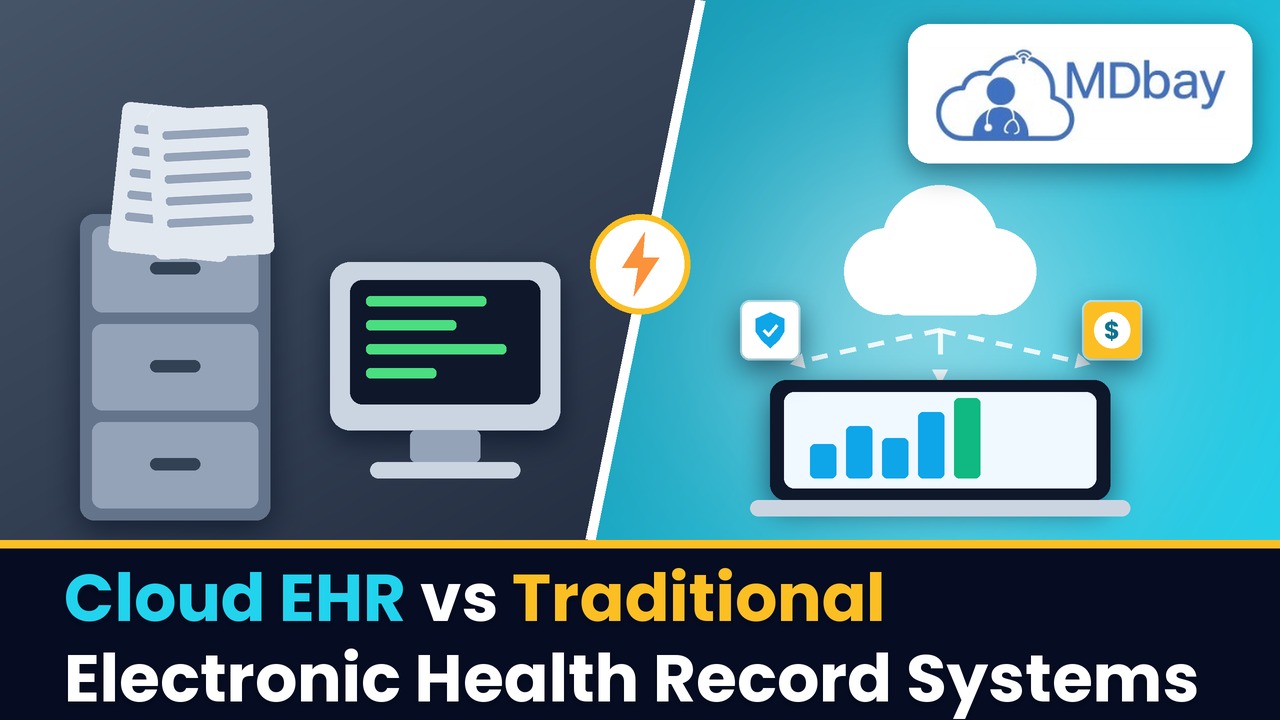
Clinics have safe tools that need to store patient data and manage daily care. Digital records enable staff to access important information and to look back on previous care. Each clinic may have a system that is suited to their work, however. Some employ cloud tools as opposed to others that use local server tools. The decision may impact access and cost, as well as everyday functions and activities. This is one of the choices that many clinics face with cloud EHR vs. traditional EHR. Either can hold patient information and aid staff members to oversee care. The principal difference in the way each system is operated and provided for is the way they operate and are maintained. Cloud tools rely on servers that are located remotely on the web and that users access remotely through the web. Local tools: Data is stored on the servers at the clinic or site. Staff should discuss the advantages and disadvantages of each setup. The best option is dependent on needs and finances, as well as staff capabilities. Data security and tech support should also be evaluated at clinics.
The Origin of the Term "Cloud" EHR
Cloud EHR is a cloud-based health data system. Access to the system is allowed via a web link and secure login. This can assist staff in viewing records from more than one location. It can also assist teams that are not located at the principal clinic. The vendor often runs the server and sends out updates. This can save the clinic tech team some jobs. Specific configuration is dependent on the plan and vendor. Data backup and help desk aid may be additional features included in some plans. Clinics should check these terms before they sign a deal. As needs increase, a good cloud setup can assist your staff. However, users must have a secure web link to log on. It's also necessary that the clinic establishes clear rules on how data is used.
Store Health Data Online
Cloud EHR stores health data on remote servers. All staff have access to patient records via a secure log-in and web link. This enables teams to see data that is critical without being on-site. It can also streamline the work of busy clinics.

Reduce Tech Tasks
The vendor is responsible for servers and system updates. This can help to save some of the tasks for the clinic staff. Some plans may also include data backup and help desk support. Before signing a deal, clinics should make sure to inquire about the services included in the package. A password will be provided for approved staff to access the web.
-
Remote data storage
-
Updates by vendors in some plans
-
Data backup based on plan
-
More than one site: Tools.
What Are The Best Practices for Adopting a Traditional EHR System?
The clinic has servers running the local EHR system. The gear and software might be owned and managed by the clinic. Records are frequently accessed by staff via the local work network. Additional tools and setup may be required for remote use. This type of clinic is favoured at some clinics because of the local control. They are able to strategise their own change plans. However, the clinic needs to take care of the servers and equipment. May require staff/outside tech aid as well. Without backup, no work can be done on the server if it becomes faulty. Local systems may require additional resources at the beginning as well. Clinics should have repair plans and data backup plans. Clear roles and care plans are essential if a good local setup is to be achieved.
Key Traits of Local EHR
-
Local server or work PC
-
Access through a clinic net
-
Technical assistance from local or hired sources.
-
Clinic-led data backup
-
Changes made by the care team
Possible Limits
Care and updates of local tools may take longer. The clinic needs to also prepare for gear failures and loss of data. Set-up and safe access checks may be required to an even greater extent when using remotely. These needs could be time-consuming and expensive for staff. In this section, the main differences between cloud EHR and traditional EHR are discussed. The big difference is where the data is stored and processed. Local tools are based on site servers, whereas cloud tools are based on remote servers.

This may impact access and care, as well as tech costs. Typically, cloud plans will include a fixed monthly or annual cost. There may be a need for additional money for equipment and preparation in local plans. Total costs may vary depending on size and use. Safe logins and data backup are both required for both types. Both are named unsafe. There should be a check of the vendor and work rules of the clinic. Staff should trial key tasks before final selection. This can demonstrate which configuration is optimal for everyday work.
Tips for Better Access
-
Test record search speed
-
Check remote login needs
-
Set clear user roles
-
Review access logs
-
Plan for web or server faults
These checks can help staff find records with less delay. They can also show gaps before the system goes live.
Care and System Updates
Care and regular updates are required for all EHR tools. Some cloud plans may offer the vendor to do server maintenance, among other things. This can save some of the clinic tech team's time. Local tools might require the clinic to plan each update. The team may also need to fix gear faults. Both models need a plan for data backup. Clinics should enquire about the name of the person who does the backup and how frequently the backup occurs. They should also enquire about the way the team will recover lost data. Clear rules that are clear can help minimise long work stops. Staff should be aware of who to contact when faults occur. A care plan can help to keep the system prepared for daily use.
Data Safety and Privacy
Health data contains essential information about each patient. Data safety is important for both cloud and local applications. Cloud plans can provide data lock and user access rules. Others even provide log files of data usage. Local tools can provide the clinic with greater control of the server. However, there is still a need for safe setup and updating of local equipment. Any system can be at risk due to poor care. Clinics should make sure to have strong logins and user roles. They should also ensure that employees are trained in handling the data carefully. Inquire from the vendor: how is data protected? Check how faults and data leaks are dealt with.

-
Use strong logins
-
Restrict access to data by role
-
Check backup plans
-
Provide staff training in safe use.
Cost and Future Growth
The cost of an EHR goes past its base fee. The monthly or yearly cost of cloud tools can vary. Some plans charge additional fees for additional users and additional tools. There may be servers and other equipment required locally at the outset. They might also require tech help and equipment repair. The cost should be compared over a number of years at clinics. They should factor in any setup costs as well as staff training costs. They should also enquire how fees could increase in the future. Another major factor that the clinic offers is growth. A new site might require more users and data space. Cloud plans can have an easy way to add users. Local plans may require additional equipment as needs increase. The plan should be tailored to meet the objectives of each clinic.
-
Costs to Review
-
Installation cost, plan or licence fee.
-
Cost of servers and equipment
-
Setup and data move
-
Staff training
-
Tech aid and care
-
Extra tools and links
Conclusion
One of the most important decisions that many clinics must make is between cloud EHR and traditional EHR. Cloud tools could provide remote access capabilities and also server care by the vendor. It may be possible to have more control over site servers through local tools. These two can assist staff in storing and viewing patient information. Safe logins and data backup are also required for each type. The price will be different depending on the tools and team. Before entering into a deal, doctors' offices should verify all fees. An individual clinic may require a basic system for the work it does on a regular basis. If there is a large team, they might need access to multiple sites. Prior to making a decision, staff should try each option. Teams can use the new system responsibly with clear rules. A good plan can help with current work and future growth. Check/inspect the setup annually to ensure it is fit for use.
FAQs
What are the advantages of an EHR?
Is a tool for recording that is used on servers in the clinic. In the clinic or the tech team's care.
What is the advantage of cloud-based EHR over local EHR?
This will rely on the requirements and budget of the clinic. With proper care and usage, both can be effective.
Is cloud EHR secure?
It can be safe if the vendor and clinic have robust data rules. Clinics should review access and backup plans and data use.
What type is cheaper?
The total cost is dependent on the plan and clinic size. Cloud tools may rely on a fixed charge, whereas local tools may require equipment.