How Cloud Medical Billing Software Supports Remote Teams
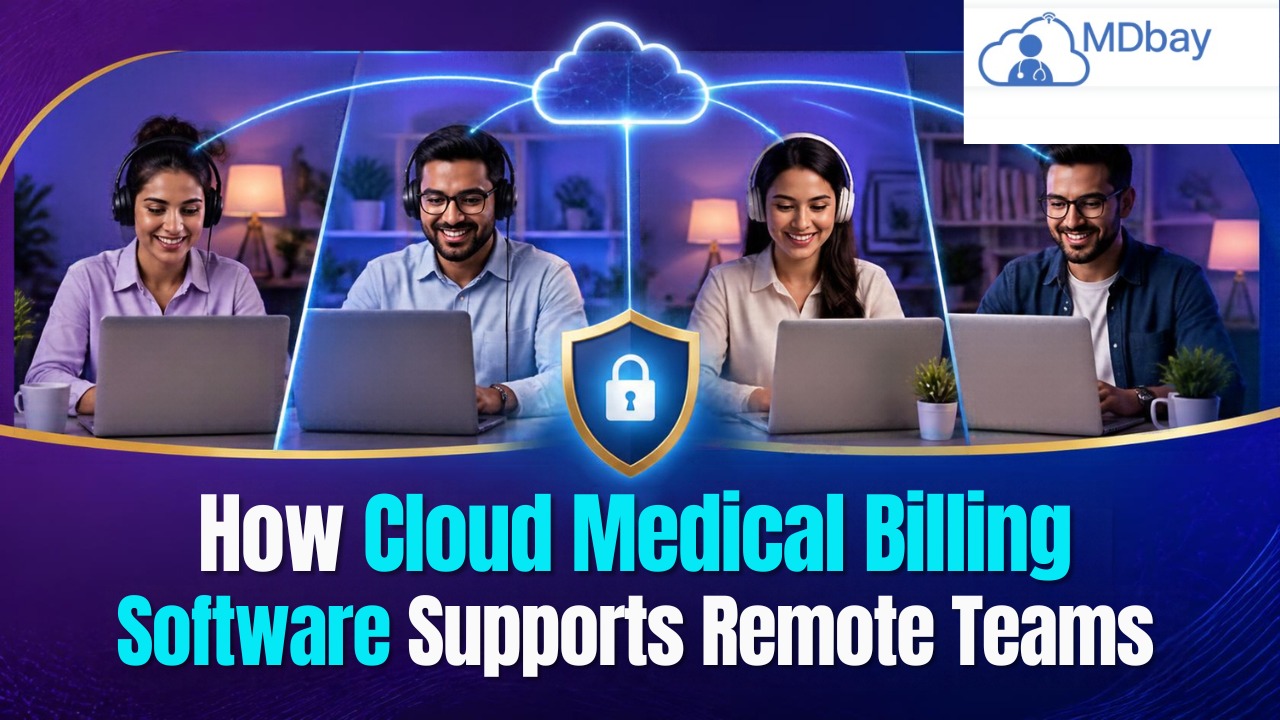
Cloud medical billing software enables providers to keep on top of billing tasks when in a different location. With cloud software, trusted team members can access billing details with an internet connection. This allows remote billing teams to work together without being physically situated in an office. Working remotely with medical billing can assist clinics with the organisation of their patient records, claim management, tracking payments, and minimising delays by not having to manually share files.
What is Cloud Medical Billing Software?
This online application is used to perform medical billing operations. Cloud-based storage enables billing data to be stored on cloud-based servers. The billing staff can then access the software from multiple locations over a secure internet connection. Staff can then browse through submitted claims, add billing data, and examine payment details without being in a single physical office. Some of these billing systems also come with claim tracking, insurance verification, reporting, and payment posting functions. Several features will vary based on the provider and plan that you choose.
Manage Claims Online
Remote billing workers handle claims using electronic devices. They might verify that patient information is accurate, double-check that important data is entered accurately, and monitor claim progress. They may also chase up late payments. Some billing workers work for an individual healthcare provider, while others may work for several. Well-defined processes can ensure that they care for every claim.
Use Cloud Billing Tools
Cloud medical billing software makes data available for remote teams on the internet. Validated team members view and make claim changes from various sites. These solutions could also be used by teams to share progress and updates and monitor work simultaneously. Strict security protocols are essential to the confidentiality of sensitive patient information. Well-designed solutions help remote teams function effectively and maintain billing accuracy.

Reasons for Healthcare Providers to Employ Remote Billing Teams
Remote billing services can help a healthcare facility to have a more flexible day-to-day routine. Some clinics have either too little space in their office or not enough administrative staff. In those cases, temporary billing help for claim submissions, payment tracking, and insurance follow-up can be beneficial. With cloud-based medical billing software, billing team members can share data with each other anytime they are given access. This streamlines file sharing and storage and doesn't require that files be shared through email or other means. Telecommuting also opens up access to providers outside of a local or regional radius for billing expertise. The key here is for the provider to onboard their team members and ensure proper access permissions.
How Cloud Medical Billing Software Helps Remote Teams
Cloud medical billing software allows remote staff to access everything they need to handle billing in a single system. It can lead to better collaboration and a more efficient team. Here are some features to look for in a cloud system.
Enhances Collaboration Among Co-Workers
When employees are in different locations, communicating clearly becomes even more important. A billing specialist may need current patient information from the front desk. Someone else may need clarification around the specifics of a payment or a claim. Cloud medical billing applications can provide shared notes, updates on projects or tasks, and information about the status of claims. Certain programs even include options for messaging or internal alerts. These can help team members be aware of what's been done and what still needs to be completed. Teams might continue to use video conferencing, chat, or email for in-depth conversation.
Assists Teams With Managing Claims Easily
The process of claim management includes employees clicking photos of the patient information and claims, preparing and submitting the claim, and monitoring the claim. It will be easier to have a defined process for remote teams to carry out each of these tasks. Cloud medical billing software can help manage the claim and show the status of the claim. Employees will be aware of claims that need checking and follow-up, and managers can also distribute the work based on team roles. This can make workflow easier to handle. Clinics should regularly check the claim process to spot delays. Defined roles can help make sure they are not missed.
Reduces Manual Data Entry
Entering data manually can also lead to errors. Employees might duplicate data entries or type data out when copying information. Cloud medical billing software can use billing and patient data saved for authorised use within all applicable processes. Many systems offer data import and connection with electronic health record systems. Such capabilities could eliminate some repeated entries. Less manual entry can mean employees have more time to review bills and track down overdue payments. But the automation of data entry doesn't mean data should go unchecked; imported data should still be verified as accurate before claims are submitted.
Aids Remote Teams in Achieving Deadlines
These billing duties may be due at particular dates. Insurance claims might require submission within a payer's preferred filing window. Furthermore, teams may need to react to requests for extra info. Cloud medical billing software applications can assist personnel in tracking due dates for claims and also unfinished jobs. Some software can additionally send out pointers or alerts of jobs that have not been completed. Reminders of due dates as well as status can be made use of by remote managers to prioritise and review progression. This can prevent groups from skipping due dates. Providers need to validate filing policies with each payor.
Simplifies Task Assignments
Distributed teams benefit from responsibility assignments so they do not duplicate efforts. Without some structure in place, it is possible for two employees to work on the same claim, while another is left open. Cloud medical billing systems enable users to record assignments or notes about follow-ups. Such observations help team members see who is in charge of what and, in the absence of a supervisor, who else is working on a claim. Also, doctors can use responsibility management to assign reasonable due dates and tell staff how to report issues. This helps the clinic maintain responsibility.

Tips for Keeping Remote Medical Billing Teams Productive
Teams working remotely require a consistent process to complete the billing work. Healthcare providers should implement and review procedures routinely. These practices will help teams stay on track.
Define Roles and Responsibilities
All staff should be able to describe what they're supposed to do. One employee might write claims, another could work denials or post payments. Giving everyone these jobs can minimise confusion and decrease the chances of having two people doing the same thing. Managers may also want to let their team know how to ask for assistance if a claim is difficult.
Utilise Safe Access Controls
Records are sensitive. Staff can be given limited access that aligns with their job and not given access at all if they don't need it. They should be given strong passwords and long time-out periods if the computer system supports this, and create multifactor authentication systems. Staff shouldn't share passwords and should not log onto systems via personal devices. Management should also check access if staff change jobs or leave.
Hold Routine Team Meetings
Remote employees don't always have the chance to chat face to face in the office. Short meetings allow team members to go over open claims, repetitive mistakes, and deadlines. Managers can use meetings to clarify any procedural changes. Questions can be asked before small issues become larger problems. And purpose should be the focus of meetings.
Provide Regular Training
Billing regulations and coding advice, as well as software functionality, can evolve. Training is essential to ensure staff are familiar with all processes and can complete them accurately. Training will include the creation of claims and insurance verification, payment posting, handling of denials, and security of data. New staff will also require supervised time with more complicated claims before taking them on.
Track Workloads and Performance
Supervisors need to check claim workload and progress. Filing reports will provide insight into areas where claims are delayed or where there is a backlog. Managers can then reallocate their work or offer assistance. Performance evaluations need to be based on speed and accuracy. It is of no benefit to have volume when the accuracy is questionable.
Use Approved Devices and Networks
Remote employees have access to equipment and a secure internet connection that helps prevent privacy breaches. Devices that are not corporate-approved computers or the use of insecure internet connections can be a source of privacy breaches. Employees should know the importance of regular updates and having the necessary virus protection software installed on their device when applicable.
Review Access and Activity
Try to check permissions regularly. Users should only have access to the records they need to do their job. Audit logs enable managers to monitor account activity when suspicions exist. Clinics should have a procedure for reporting potential incidents of security so that sensitive billing information is protected.
How to Choose Cloud Medical Billing Software for Remote Teams
The system that best fits the team and security requirements will be the one that is most effective. It needs to be convenient for the authorised staff to use from specific locations.
-
Remote access: Enables authorised users to work from various places.
-
Claims management: Supports staff in managing claims.
-
Job distribution: Puts together job duties and follow-up work.
-
Payment tracking: Maintains the history of payments and balances due in an easy-to-access format.
-
Security controls: Safeguards patient information through appropriate access and monitoring mechanisms.
-
Technical support: Assists staff in the operation of the system and in troubleshooting.
Drawbacks of Cloud-Based Medical Billing Software
While cloud medical billing software provides greater flexibility, providers should be aware of its limitations. Being aware of some common cloud-based issues can prepare remote teams for success.

-
Internet Reliability
The cloud system usually has to be accessed via the internet. An unsteady connection can prevent access and cause delays to billing processes. Find out if your clinic has a backup internet connection and the effect any outages have on the system.
-
Software Costs
Cloud billing solutions may also have a monthly or annual fee. Certain capabilities or integrations might also be extra. Prospective providers need to consider the total cost of the solution relative to their requirements and budget.
-
Integration Problems
The billing software might also need to integrate with practice management software or electronic health records. If this doesn't go well, you may end up having to do double data entry and find that your records are out of sync. Check this before selecting your software.
-
Maintaining Accuracy
Cloud access alone does not put billing data to right. Staff may still input incorrect data or miss paperwork. Consistent reviews and procedures are still useful to ensure correct submissions.
Conclusion
Cloud clinical billing programming for the cloud is useful for doctors and medical clinics with an entire or remote staff. Licensed staff need to access shared record information, organise cases, settle up expenses, and access task advancement everywhere. This can make the course of action less difficult. In order to be effective, remote medical billing solutions require more than just software. Providers need defined roles and responsibilities, ongoing staff training, secure login protocols, and regular check-ins, as well as the right software system to complement their workflow and integrations. Having the right team of tools and processes can make remote billing teams more successful.
Frequently Asked Questions
What is the effect of cloud medical billing software on telecommuting teams?
Enabled staff to view billing records, submit claims, track payments, and see work done at other locations. This helps team members coordinate their work without sharing files.
Why Remote Medical Billing?
The remote billing process is when you perform your medical billing work outside of your office environment. This can be from home or another approved location with online billing systems.
Can the use of cloud medical billing software increase a team's productivity?
It can help structure claims, minimise entering data several times, and make the review of the job completed much easier. Productivity still is based on employee education, records kept correctly, and procedures being clear.
Is Remote Billing Available for Small Clinics?
Yes. Small clinics can synchronise billing activities by using remote specialists through cloud systems. Choose a billing software that fits your clinic's budget, security needs, and the time necessary for billing.
What Should Remote Billing Teams Be Watching Out For?
Features to look for may include claim tracking, payment history, task management, reporting, integrations, and security controls. Make sure to check with the provider to ensure these features are included in your system.