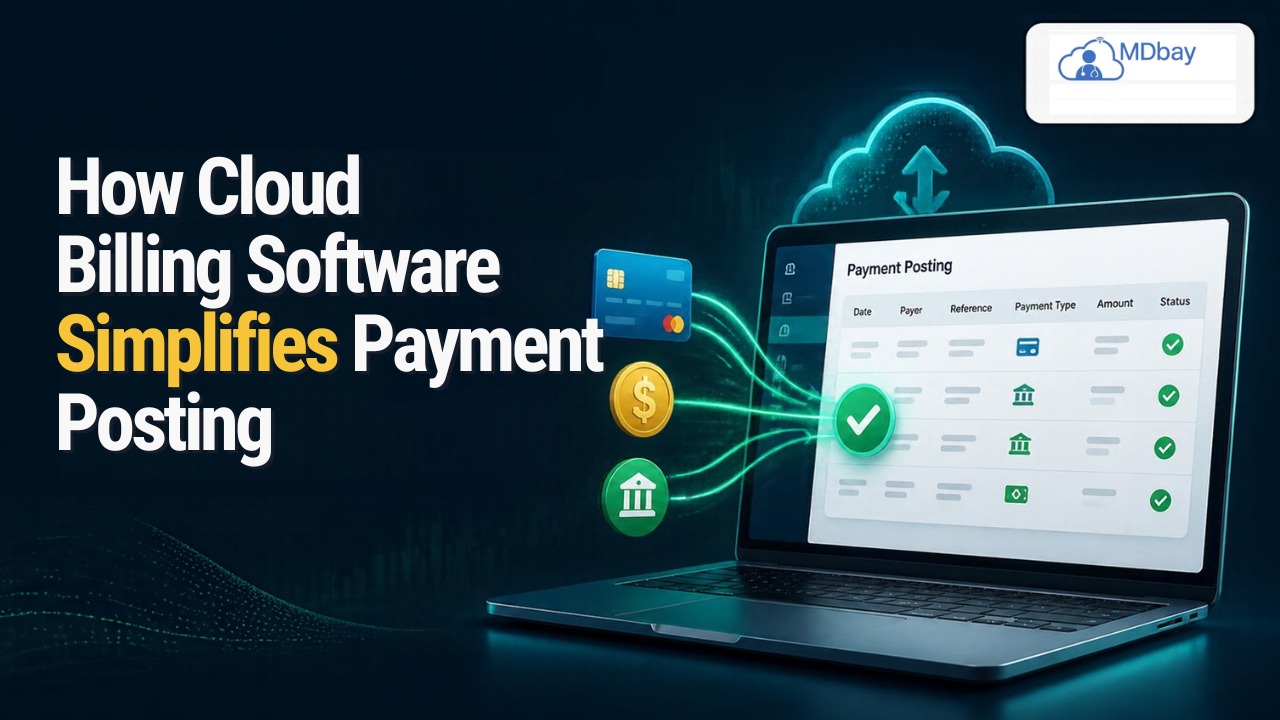
How Cloud Billing Software Simplifies Payment Posting
Introduction
Payment posting is the accounting process through which companies record payments received from customers. Payment posting is a crucial activity for any business that accounts for received payments and keeps the records, reconciles accounts, and ensures that revenue is fully collected. However, manual payment posting is time-consuming, prone to human error, and consumes a lot of time in reading documents and then manually entering the transaction details in the software, adjusting customer accounts, researching discrepancies, and so on. Cloud billing software payment posting can help organise the payment data and reduce the amount of time it takes to match and reconcile the payments. With the ability to process electronic remittance, automatically match and post payments, and run real-time reports, cloud billing software can save time and reduce errors. Automated payment posting reduces duplicate data entry and frees up the billing team to focus on issues that need their attention. Learn more about these advantages, the must-have features, and the things to consider when choosing a provider.
What Is Cloud Billing Software Payment Posting?
Cloud billing software payment posting is the process of recording, tracking, and reconciling payments made to a healthcare organisation using an online billing software platform. Payment posting is the final phase in the medical billing process. Once the provider has submitted a claim to an insurance carrier, the carrier will adjudicate the claim to determine what it will pay. The balance of the claim will be subject to contractual adjustments, patient liability, or other adjustments. Patient accounts and financial statements need to be updated accordingly. Cloud-based systems offer a unified platform for managing this data.

Some software applications have the ability to import electronic remittance advice and match it to the corresponding claim, validate the transaction, record the patient's payment, and record the payment amount into a financial report. If the payment information is sent electronically, the software may be able to automatically import the data, associate it with the claim, and cue the transaction for posting. This can minimise the need for manual entry, but transactions with special adjustments or anomalies may still need to be reviewed by a billing staff member.
Automates Repeated Tasks of Payment Posting
One of the biggest benefits a cloud billing programme offers is the ability to automate mundane administrative chores. In traditional accounts receivable workflows, there's a step where staff opens up the payment file, looks up the claim, enters the payment amount, records the adjustment, and posts the payment to the patient's account. When a practice handles thousands of claims weekly, that step eats up a lot of staff time. Cloud billing applications can streamline this process by importing supported payment files and then applying posting rules. With payment posting automation, a compatible software program can recognise the patient account, match payments to existing claims, and post qualified transactions with little to no manual effort. For instance, a medical practice that receives hundreds of insurance payments per week can automate the processing of simple payments while setting aside unusual transactions for manual review.
The Main Advantages Include:
-
Less repetitive entry of data.
-
Quicker processing of transactions that qualify.
-
MSBA reviews for global comparison. More stable records of payment.
-
More insight into unprocessed payments.
Simplifies Electronic Remittance Processing
Electronic remittance advice (ERA) tells a biller how an insurance payer processed a claim. An ERA could state the amount paid, contractual adjustments, patient liability, denial details, and payment explanations. Biller staff might have to manually review remittance documents and then type the data into the billing system without compatible software. This task can be significantly more complicated when a single payment covers multiple claims. Electronic remittance files can be imported into a cloud billing system if they're compatible and then sorted into transaction entries. Depending on the software, payments and remittance information may be matched to individual claims and readied for posting.

-
Data on amounts paid by insurance.
-
Contract modification.
-
Amounts owed by the patient.
-
Claims denied or paid partially.
Improves Payment Posting Accuracy
Keeping accurate payment information is crucial to accurate financial reporting and revenue cycle management. When staff are typing in data, inaccurate payment data, duplicate lines, mismatched accounts, and incorrectly recorded adjustments are common errors. These may generate inaccurate balances and require staff to spend time investigating the correct amount. Cloud-based billing systems can help reduce these problems through automated matching, validation rules, duplicate detection, and discrepancy alerts. For instance, a billing system may not process a payment that was received if the payment amount does not match the expected details of the transaction, recording the entry but not processing it normally.
Useful accuracy features include:
-
Identifying duplicate payments.
-
Claim and transaction reconciliation.
-
Title is missing. Required g-field validation.
-
Alerts for Payment Discrepancies
Offers Live Payment Monitoring
Sometimes it isn't always clear to healthcare administrators which transactions have been paid, which have been posted, and which still need a follow-up. When financial records are stored on various spreadsheets, paper documents, and in multiple separate software applications, it can be hard to keep track of all of this information. Cloud billing platforms can centralise transaction records within a single dashboard so that authorised staff can view the status of transactions all in one place. Staff may be able to view posted payments, transactions awaiting remittance, unpaid accounts, rejected payments, and accounts under review within this dashboard. For example, a billing administrator may identify that a handful of these transactions are for insurance remittances that have been paid but not posted. They can then assign those transactions to staff members while monitoring their progress.
-
Dashboards of payments.
-
Pending Transaction Alerts.
-
Balance monitoring.
-
Insurance reimbursement tracking.
-
Queues of work for unpaid bills.
The provision of real-time information is subject to the update interval of the database software used and whether connected systems are constantly feeding back information.
Eases Payment Reconciliation
Reconciliation checks the transactions against financial supporting information to verify the records balance off. In billing, this could entail comparing insurance remittance records, claim payments posted in the practice's software, transactions with individual patients, contractual write-offs, and bank deposits. Billing staff need to do a manual reconciliation to identify which of the billing's transactions are not balancing off against some item in the insurance remittance, billing transactions, or a bank deposit; the staff may need to sift through numerous documents to find the difference. Cloud billing software can help identify the imbalance by linking related records and providing prompts for checking account balances.
-
Reconciling posted payments with remittance logs.
-
Reviewing adjustment amounts.
-
Spotting missing or duplicate transactions.
-
Drilling down into unresolved differences.
Assists in Pinpointing Denials and Underpayments
Not all insurance claims are paid in full. They may be denied, paid in part, or paid with adjustments that need to be looked at more closely. When posting payments and managing denials separately, it can be difficult for billing staff to determine why an account is not paid in full. Insurance billing software can display payment information along with denial details, helping staff to see exactly what happened during the processing of the claim. These systems can list the reasons for denials, show adjustment codes, assign follow-up actions, and log re-submissions.

For example, when a remittance indicates the claim was denied because a necessary document was not present, the billing team can check the denial reason, collect the missing information, and submit an amended claim or an appeal. Likewise, when a payment appears lower than a contract amount, it is important to review payer rules, coding, authorisation, and contractual terms. Effective denial and underpayment management can help healthcare organisations.
Supports Better Financial Reporting
Precise payment posting is the key to good reporting: If documents are posted late or incorrectly, reports will not accurately reflect the organisation's financial position. Cloud billing can create reports on collections, balances, reimbursements, denial of claims, and accounts receivable based on payment data posted to the payment posting software. Filters can often be applied to reports, including the patient, payer, provider, date, department, or payment status. These reports help managers to answer key financial questions; for example, such a report may identify many unposted documents or an anomalously high volume of outstanding claims for a specific payer.
-
Extracts of payments and pickups.
-
Money owed to you.
-
Refuse analysis.
-
Accelerated transactions.
-
Cases for payment trend comparison.
Enhances Accessibility and Team Interaction
Supported billing activities can be accessed via the web cloud (internet connection) instead of the primary computer in a medical office. This is especially advantageous if your practice has several office sites, employs a remote billing team, or hires a third-party billing firm. For instance, a billing specialist can examine a payment error from the web cloud while a manager keeps an eye on the status of the same transaction in the same billing system. With the right software platform, team members can also distribute work items, leave notes, assign tasks, and check boxes. These functions can eliminate the requirement to email and exchange spreadsheets about the same transaction. However, organisations should make sure that users only view information relevant to their role. Security features such as data encryption, multi-factor authentication, role-based permissions, secure login screens, and audit trails are vital. Access to cloud providers can facilitate collaboration, but this should always be complemented by sensible privacy and security controls.
Works With Existing Healthcare Systems
Payment posting is closely tied to several other billing functions, such as claims processing, patient registration, electronic health records, and accounting. When the systems aren't integrated, staff often need to reenter the same information and find the source of discrepancies between the applications. Many cloud-based billing platforms offer integration with electronic health records, practice management systems, clearinghouses, and accounting software. Integrations may include information sharing between systems for purposes like claim matching, updating patient accounts, and financial reporting. Integration with a claims management system, for example, can allow billing staff to access claim data and payment statuses without toggling between applications repeatedly. Connection benefits include decreased duplicate data entry and more uniform billing processes. For example, integration with a claims management platform can help providers' billing staff access claim data and payment status information without toggling between apps repeatedly. Have you seen these benefits?
-
Supported EHRs and Practice Management Systems.
-
Do your payment details transfer over?
-
What formats of data are allowed?
-
Does the integration cost extra?
Strengthens Data Security and Record Management
Systems for medical billing hold sensitive information about patients, insurers, and company finances. Protecting this data should be a factor in your choice of cloud-based software. A well-chosen platform might provide data encryption, multi-factor authentication, role-based permissions, audit trails, and data backup solutions. These can protect patient information from unauthorised access and encourage best practices of data management. Cloud billing systems can also offer a single source of record for financial transactions, with authorised staff able to access them easily to locate payment and transaction history and investigate any corrections, adjustments, and reversals. Healthcare organisations should verify which mandates apply to their business.
Facilitates Practice Expansion and Growth
As the size of your practice grows, so too might your volume of payments. A solution that is manageable for a small practice can grow cumbersome once your practice has expanded to include multiple providers, locations, and billing specialists. Cloud-based billing solutions may have scalable factors that give your practice greater user flexibility, more optional features, and different scalability options to adapt to your evolving needs. Depending on your vendor, your practice might be able to add users or expand features without needing to replace your entire system. Scalable software might keep you from having to make multiple changes down the road when your transaction volume increases. Scalability doesn't mean infinite capability, so subscription plans might have limitations on the number of users, transactions, storage, or modules. You should examine these restrictions and your practice's anticipated growth rate when selecting between vendors. You also want to evaluate how scalable your practice's workflows are when adding new locations, vendors, or integrations. The right scalable practice management system can enable you to plan for the future and avoid costly transitions.
Streamlines Patient Payment Processing
The posting of payments in medical billing consists of reimbursements from insurance and payments from patients. Patient payment posting, online statements, online payment access, receipts, and due account balances can be tracked with most cloud-based billing solutions. They can make it easier for staff to maintain patient accounts and also give greater clarity when it comes to patient balances. For instance, if a patient pays through an online portal, other software integrated with the portal and compatible billing software might record the payment and reflect the changes to the balance. The exact steps depend on the payment gateway used and the integration capability of the patient portal to the billing system. Easy-to-read patient statements that clearly show payments received, credits, and account adjustments can also help eliminate confusion. Healthcare practices should verify that their software can facilitate the desired payment methods and process transactions securely. Providing added payment convenience and accurate posting will enable a more seamless patient billing experience.
Best Practices for Successful Payment Posting
Software, even the most sophisticated, still needs a workflow. You need to have processes that define how payment transactions are going to be managed.
Standardise Posting Rules
Establish clear guidelines for posting payments. Deal with contract adjustments and patient responsibility, as well as abnormal business. Good methods to tape-record these types of things can help to mitigate confusion as well as help to make sure of the level of precision in the books.
Review Exceptions Regularly
Automated systems may recognise exceptions such as mismatches, incomplete files, or payment amounts that are higher or lower than average. Determine who will be responsible for checking these exceptions and dealing with them quickly.

Reconcile Payments Regularly
Compare payment records to remittance information and other financial records on a regular basis. Look for gaps, double entries, and unexplained differences.
Train your billing staff.
Staff will need to be able to interpret the software, examine automated outputs, research outliers, and ensure the security of confidential information.
Monitor Performance
Track inappropriate measures like unposted payment volume, transaction correctness, the time to post, the number of unresolved discrepancies, or the number of outstanding claims. This advice can support management in finding these areas to expand on.
Check Access Permissions
Frequently verify that your staff members have access to billing information. Delete or modify permission levels if the individuals are promoted or reassigned. These steps can assist companies in better utilising their cloud billing software and ensure the accuracy and security of payment information.
How to Choose the Right Cloud Billing Software
Deciding on a platform also involves comparing its features, price, and security to those of other products and determining if they work with your existing system. Some things to keep in mind include the following:
Automation functionality: Check if the system provides electronic remittance processing, matching of payments to a ledger, and automatic payment posting.
Validation controls: Search for validation rules, duplicate detection, discrepancy alerts, and exception processing.
Integration options: Verify compatibility with current EHRs, practice management, claims, and accounting software.
Reporting: Look over payment, denial, reconciliation, and accounts receivable reports that are on hand.
Security controls: Look at encryption, backup procedures, audit trails, access controls, and applicable compliance requirements.
Processing and posting: Request a demonstration and try out some typical payment posting jobs.
Support: Review support hours, onboarding programme, training resources, and response time.
Pricing model: Examine subscription pricing, setup fees, user threshold, and any costs per extra module.
Conclusion
Cloud billing software can make it easier to post payments by automating data entry, organising electronic remittance data, enhancing matching, and aiding reconciliation. Cloud billing software can also address payment posting by providing system integrations, more comprehensive reporting, and other capabilities. The optimal cloud billing solution for payment posting can help providers track receivables, make better sense of payments that don't match, and more. But by automating your payment posting, you need to remember that there needs to be a certain level of human discretion, reconciliation, training, security, and data privacy in place. Healthcare organisations should consider their needs and compare platforms accordingly; investing in one that supports their workflow and operational budget and meets their security requirements will provide a more resilient way to post payments and enable staff to focus on higher-level tasks that require judgement. Cloud billing software payment posting is not just about speed but about consistency, accuracy, and visibility into your revenue cycle.
FAQs
1. What is cloud billing software payment posting?
Payment posting in cloud billing software involves the recording, tracking, and balancing of patient and insurance payments in an online billing system. It allows healthcare providers to keep track of account balances.
2. What is automated payment posting?
Rules-based software automatically imports payment data, matches transactions with associated claims, and posts eligible payments. Transactions with incomplete data or mismatches are held for manual review.
3. What are the most important features of cloud billing software payment posting?
Some of the key advantages are less manual data entry, faster processing of eligible transactions, greater visibility of payments, easier reconciliation, and more accurate reporting. The actual benefits will vary depending on your platform and organisation's processes.
4. Can cloud billing software avoid payment posting mistakes?
Yes. To some extent, automated matching, duplicate detection, validation rules, and discrepancy alerts can flag certain errors. However, reconciliation and staff review can be a valuable tool and a way of catching these errors.
5. What does electronic remittance advice mean in billing?
An electronic remittance advice (eRA) is a paperless file used to electronically describe how a payer processed a claim. It may contain payment amounts, adjustments, denials, or patient responsibility.
6. How does cloud billing software facilitate payment reconciliation?
Your cloud billing software can group related records of remittance and payment, check amounts of transaction, and highlight discrepancies that you can look into. This can add more order to your reconciliation process.
7. Is cloud billing software best for small practices?
Yes. Several of these services are aimed at small practices along with larger treatment companies. Types of Pricing: Remember to compare the price, transaction limitations, integrations, encryption, and automation features.
8. Is Payment Posting Cloud-Based?
It depends on the software provider and the software/system administration and configuration. Healthcare organisations should search for encryption, multi-factor authentication, role-based access, audit logs, and reputable backup practices.