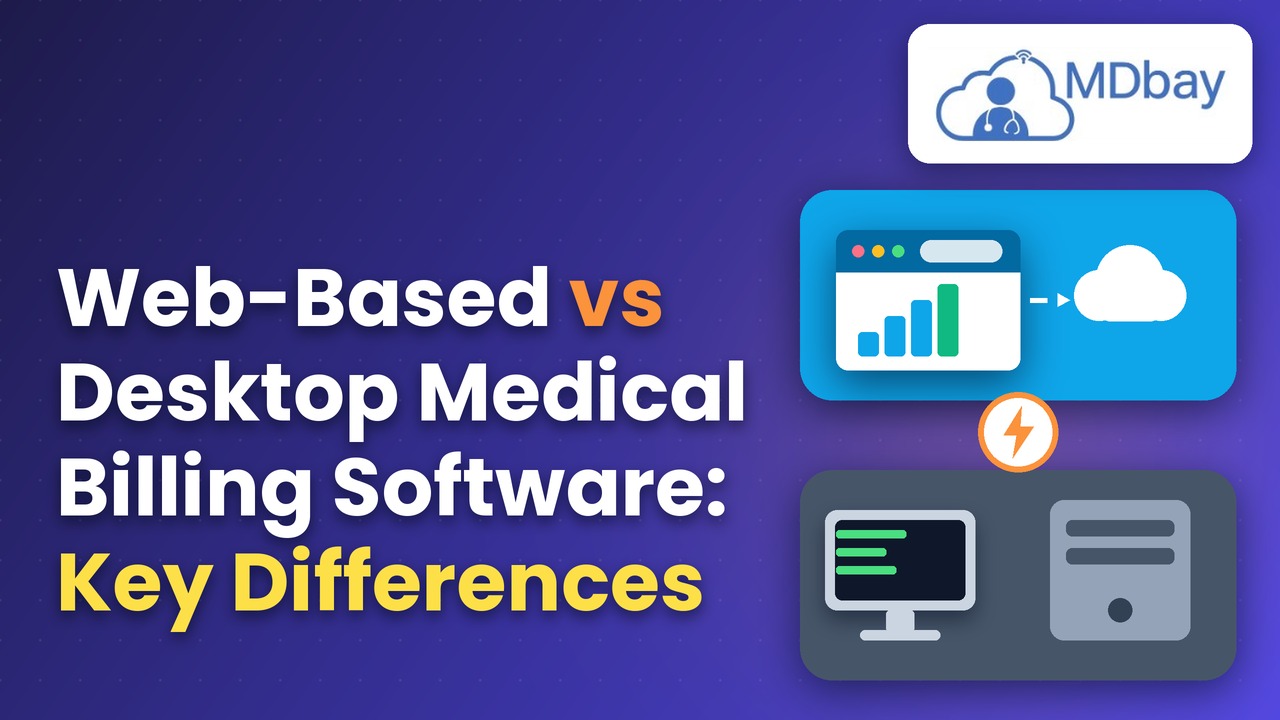
Web-Based vs Desktop Medical Billing Software: Key Differences
The medical billing system is not just for the sake of designing a clinic's management system because it is equally important to opt for the right one, since an inefficient solution may harm a practice by exacerbating how claims and payments, patient records, and daily administrative tasks are managed. When you weigh web-based vs. desktop medical billing, practices have to think about accessibility, security, maintenance, pricing, and ease of use. Both are designed to support billing operations; however, they differ in how the software is installed, accessed, updated, and maintained. Knowledge of these differences will allow clinics, hospitals, and independent practices to pick a solution that best suits their practices while also considering the technicalities.
What Is Web-Based Medical Billing Software?
Web-based medical billing software is a type of billing system that can be accessed via an internet browser. Users log in through authorised accounts in various locations on their devices depending on the platform. The software itself and its data are usually hosted on remote servers or in the cloud, meaning there is reduced necessity for installing the entire application on every computer. It will help healthcare teams in claim management and tracking of payments, as well as enable billing and administrative functions across locations. The system may be accessed by authorised staff at the clinic or even from home or other locations approved for access. Access is dependent on the features of the provider, availability of the internet, and security settings. Updates may also be applied to web-based systems by the service provider. While this reduces some of the work for an internal IT team, practices should verify what exactly the vendor handles and what falls back on the organisation.
Differences Between Web-Based Medical Billing and Desktop.
So, the differences between web-based and desktop medical billing software depend on access, installation, maintenance, data storage & recurring charges. The following comparison shows some typical differences, but specific products may have other properties.
|
Feature |
Web-Based Medical Billing |
Desktop Medical Billing Software |
|
Access |
Uses a web browser |
Uses installed software |
|
Installation |
Minimal installation |
Requires software installation |
|
Remote Access |
Allows remote access |
May need extra setup |
|
Internet |
Usually requires the internet |
May support offline use |
|
Updates |
Provider manages updates. |
May need manual updates |
|
Data Storage |
Uses cloud storage |
Uses local storage |
|
Maintenance |
Mostly handled by provider |
Often handled by the practice |
|
Scalability |
Easy to add users |
May need extra hardware |
|
Backups |
Depends on the provider. |
Managed by the practice |
|
Costs |
Usually subscription-based |
May require licence and maintenance fees |
Accessibility and Remote Work
One of the most apparent contrasts between web-based vs. desktop medical billing is accessibility. Most web-based platforms are where the end-user logs on from various authorised locations using a supported browser. This is helpful for billing teams with staff working at home or healthcare systems that have many locations. Desktop systems operate primarily on the computer where the application is installed.
Review Local Storage
Desktop billing systems sometimes save data on commercial computer networks or servers. This would allow clinics to have more direct control of their storage environment. But the clinic needs to run its own backup plan and data safety measures. Failure of hardware or (theft, fire, etc.) and not having a backup can result in the loss of data. Staff should employ safe storage methods to secure key files.
Check Backup Frequency
How frequently does the system generate data backups? Should clinics ask these questions? This should also check how long the saved data is available. A clear backup plan can assist workers in restoring records after a mistake or gadget failure. Providers should detail how and when data can be restored. It can lessen the impact of damages due to service failure from losing critical billing information on backup.
Plan Data Recovery
Healthcare teams should also learn how quickly to recover lost data. They should ask who recovers and what steps staff need to follow. Clinics must ensure that backups are routinely checked. A well-marked recovery scheme can lessen the repairs of non-work orders following a failure. Proper storage and backup measures could allow for safe practice and steady clinic work.
Security and Privacy
Medical billing systems collect lots of sensitive information such as records about patients, insurance details, claims, and payment records. The great thing is that desktop systems can be incredibly secure provided that computers, networks, databases, and user permission settings are all configured correctly. On the other side, an organisation may have to deal with software patches, device protection, access to local ports, and backups. Just because data is stored on-site does not mean that a locally installed system will be any more secure than hosted systems.
EHR and Practice Management System Integration
Some integrations minimise data duplication and assist employees with clinical workflow and administrative coordination. Single-product app; however, if you are going to require some app integrations with other products, they may come with fees or configuration. Desktop medical billing software can also integrate with other systems, but the connection is largely internal to the system and could be related to the local network in case an interface is available. Older apps may not connect to new platforms. Practices should assess their critical integrations before they select a solution and verify that the vendor offers them. Also, they should enquire how information is transferred and to what degree errors are managed and whether the integration costs have been quoted in the inclusive price.
Connect Essential Clinic Tools
Medical billing software usually needs to interface with the other tools in your clinic. They might be EHR systems, booking apps, and patient registration tools. Clinics might also require connections with payment gateways and claim clearinghouses. Staff can easily share important data on a daily basis through connected tools. This can simplify work and eliminate re-entering the same details.
Review Web-Based Integrations
Several online billing tools inherently have links with other computer equipment. Additionally, this type of link can help staff more easily transfer data between clinical and billing processes. However, each product could support a different standard of tools. Additional setup or additional fees may apply for some links. These are the factors clinics must examine before they select a plan.
Check Desktop System, Links
Desktop billing tools can integrate with the rest of your clinic systems. But these links might also be contingent on how the software is designed, as well as the local network configuration. More recent tools might face some restrictions when integrating with a new app. Before rolling out any new system, clinics should test key links. This can prevent issues for staff after the initial setup.
Confirm Data Transfer Rules
Clinics should write down what other tools they need to integrate with before purchasing any software. They should question the vendor on how data moves through each system. You also need to see how the errors are detected and fixed. Clear rules help to maintain consistent accuracy in the records across all connected tools.
What Is The Better Option For Your Medical Practice?
What is right for one practice may not be the case for another given factors such as size and setup, work patterns, technical resources, and budget, as well as plans going forward in time. If an organisation requires remote access, a centralised workflow, and less responsibility for local installations, then web-based medical billing may be appropriate. But the organisation should evaluate its responsibility for maintenance, backups, updates, and secure remote access. Well, neither option is necessarily better than the other for every healthcare provider.
Conclusion
Web-based vs. Desktop medical billing software. Understanding the differences between web-based & desktop medical billing software will help you choose the right solution according to your operational needs. Web-based systems commonly offer quick remote access and provider-managed updates, whereas desktop medical billing software uses a locally installed environment or a hybrid style where there are different maintenance and infrastructure requirements. Both methods can work well for billing, given the right configuration and maintenance. Practices can then compare solutions based on accessibility, security, integrations, performance, and support to determine which options are best for reliable daily operations and accurate claims processing at the lowest total cost.