How Online Medical Billing Software Simplifies Claim Submission
Medical claims submission is an essential aspect of the healthcare administrative process, as it enables clinics and hospitals to bill insurance companies for services rendered to patients. It refers to gathering information on the patient, verifying insurance availability for the patient, reviewing medical codes, and preparing claim forms containing all required details of charges to be submitted to the appropriate payer. Many of these activities are performed manually by staff and suffer from delays, incomplete records, and duplicate data entry. Online medical billing software focuses on streamlining these tasks for healthcare providers and care centres by providing them with an integrated digital platform. Supports electronic submission of claims, gives more visibility into billing information, and assists staff with tracking claim progress.
Eliminate Paperwork by Processing Digitally
Submitting traditional claims often requires printing forms, filing them in a logical sort of order, sending the paperwork through the mail, and keeping your own record of what you have submitted. Such activities take employees' time, complicate processes, and make it difficult to tell whether the claim has gone to the right department. Electronic claims submission is a process where claim information from healthcare providers can be transferred digitally with the help of a supported payer connection or clearinghouse. Moreover, this relevant information can be prepared, and submission records can be organised within the billing workflow with the help of online medical billing software.
Submit Claims Through Electronic Connections
Input and verification of the necessary information make it possible to transmit the claim over an available electronic channel. Online medical billing software will either connect directly with insurance payers or use a clearinghouse to transmit claim information, depending on the software in question. Clearinghouse: This can do some amount of formatting and validation checks before a claim is sent to the appropriate payer. This could assist in recognizing technical issues and can yield useful info regarding the submission process.

The electronic submission also leaves a paper trail for staff to follow when determining whether or not a claim was sent. This is especially useful for clinics dealing with a high number of claims per week. Clinics should review what payers are covered, if clearinghouse services are bundled into a platform purchase, and how much transaction fees cost on top of that. They should know the difference between a claim that is transmitted, accepted for processing, and approved for payment — because these are not a full implementation of one step in the claims process.
Track Claim Status After Submission
Submitting a meager claim doesn't indicate that billing is complete. Further tracking its advancement, progress, and payer responses requires staff time to identify areas requiring further action. An organized tracking system can resolve this issue, as without such a system, employees are unable to identify which submissions require immediate attention, and claims may remain pending. The online medical billing software can offer claim status dashboards, submission histories, electronic notifications, and follow-up lists. These features assist billing teams in reviewing claim progress without having to manually check every record.
-
Claims awaiting a payer response.
-
Submissions that were rejected due to incomplete or erroneous data
-
Claims requiring additional documentation.
-
Processed claims with payment information.
Simplify Rejected Claim Corrections
Why rejected claims create additional work: Your staff, not just the computer, have to identify the issue with the rejection, go review the original information sent in conjunction to make corrections, and resubmit when necessary. Rejections also occur if the information on a claim is invalid, there are missing fields, formatting issues, or they may need additional documentation based on the payer. Other billing systems instead show rejection messages and store the original submission in a manner that enables staff to investigate faults without needing to start the whole process again.
Minimise Repeated Data Input Across Platforms
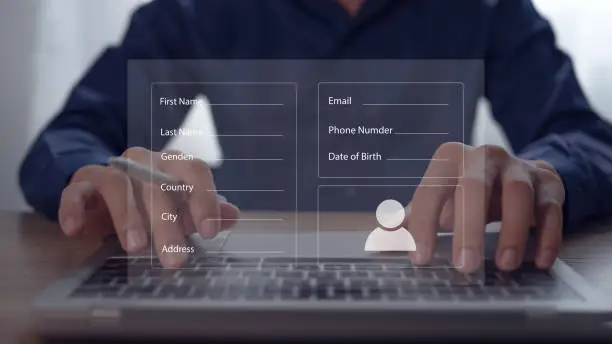
This can potentially add to the administrative burden and create discrepancies between patients being treated and their respective claims. Online medical billing software may also work with compatible electronic health record and practice management systems through the transfer of specific data from platform to platform.
Connect Daily Work Tools
You might have one tool for actually booking a visit, and another to store the patient records. Others are for patient data or the billing function using additional apps. In the absence of shared data, staff must enter the same facts multiple times into these tools. It can connect with other compatible EHR and clinic tools through online medical billing software. This is useful to let teams wrangle important information and eliminate repetitive work in duplicate data creation.
Save Time on Data Entry
In the best instances, system links allow staff to access key patient details in one place. This may include patient data or facts regarding the service required for bills. That may mean less repetition when typing those same facts. This would then allow staff to devote more time to their actual claim checks and other important activities. It can also facilitate day-to-day work.
Keep Records Consistent
These commonplace processes are subject to repeated mistakes across patient files and claims. For instance, employees will fill in an incorrect date and forget to include one critical detail. Sharing of supported data among connected systems can help mitigate these issues. Of course, office personnel still need to check records for accuracy. Frequent validation can help ensure clarity and consistency of patient data.
Check System Compatibility
Every EHR or clinic system you connect with will not have every billing tool available. Before choosing a plan, clinics need to check which apps the vendor supports. They also need to ask what data can flow across systems. Staff are less disturbed by using the tools with a plain setup plan. Well-clicked links minimize duplication of efforts and enhance daily operations.
Improve Communication Between Billing Teams
Submitting a claim will typically involve numerous employees, from patient registration to medical coders, billing specialists, and financial managers. One of the problems is if one team requires details from a leaf, another (say, horizontal) cannot see what the status of that claim is, and so they will not proceed. Having these needed records makes it easy to keep up if a proper log is done and forthcoming information is shared with a shared billing platform, helping authorised employees to access relevant records and identify information that may lack completion, along with future updates over what has happened in the past few periods since there have been existing activities conducted. Work queues, reminders, task assignments, and activity histories are additional functions offered by some systems.
Track Team Progress
Common systems may contain notes and the history of changes to each claim. Staff can refer to these notes to determine what has been accomplished and what still requires improvement. This can assist teams in avoiding duplication of effort. Parents are able to use task records in order to identify delays and provide assistance for their children. If the updates are clear, then the team can handle claims more sensitively.
Set Clear Work Rules
Clinics should also have explicit guidelines about who will take over unfilled tasks as well as how and when they'll be able to make updates on claims. ..3 Staff need to know how to record changes and report complex cases. They should also know when to seek out help from a manager. With regular daily training, teams can take the same steps per day. Better software and deviation protocols can foster improved teamwork while providing for more effortless claim examination.
Use Reports to Identify Claim Processing Problems
Claim reports are essential for the healthcare organisation to track how well their submission process is moving ahead. Managers might require this to check the volume of clinical claims submitted or fee-for-service payments rejected due to an error, as well as the pending work and reimbursements. The online medical billing software provides reports and dashboards that brief those activities in time frames you select.
-
Claim submission summaries.
-
Rejection and correction reports.
-
Pending claim lists.
-
Payer response summaries.
-
Payment and reimbursement reports.
Before Making the Choice, Assess Software Features
Not every clinic has identical claim submission requirements. An example of this would be a small practice that may need something simple to prepare and check on the status of claims vs. a larger healthcare organization that needs robust reporting, multiple payer connections, and possibly integrations with several systems. The first step in picking the right software is to assess how things are at a clinic level and what bottlenecks exist.
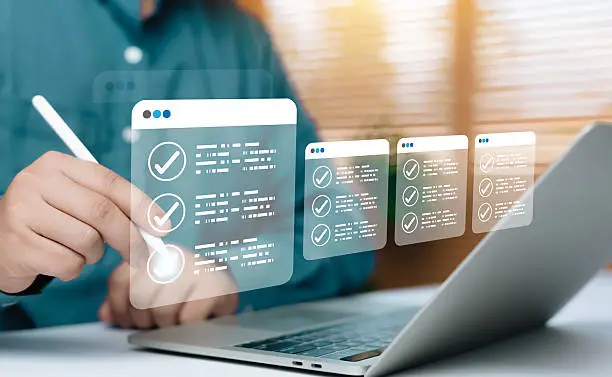
Here are some factors to look for before picking up online medical billing software:
-
Validation features: Confirm it handles empty fields and common submission errors.
-
Claim tracking: Check how it shows submissions, rejections, and payer responses.
-
Security controls: Review authentication, authorisations for access, and data protection.
-
Pricing : Examine subscription rates, implementation fees, and clearinghouse costs.
A close comparison assists providers of care to choose a system which pairs with their claim volume, budget and staffing needs. Where practical, clinics should be demanding a demo or trial so staff can experiment with day-to-day operations before taking the plunge on a platform.
Conclusion
Claim submission can be streamlined with online medical billing software since it organizes patient information, supports digital workflows, shows where selected errors are occurring, and makes claim status easier to track. In addition to the above benefits, it also assists billing teams a lot in repeater claims management, reducing repeated data entries, categorising supporting documents, and reviewing reporting data. They can also potentially reduce admin workload and enable clinics to use a more standardised process. Nonetheless, accurate coding, complete documentation, payer mandates and the correct review by staff members are still essential for successful claims processing. Before you select a healthcare software platform that fits your needs for electronic claims submission, it is best to compare features, integrations, security controls, pricing, and support.
Frequently Asked Questions
What is electronic claims submission?
Electronic claims submission is the way of sending a medical insurance claim digitally to an insurance payer, and this typically uses a clearinghouse or any other type of electronic connection that is supported. It lessens the dependence on a paper-based submission process.
What is online medical billing software and how does it simplify claim submission?
It can help to arrange patient and insurance details, assist with validation checks, minimize redundant data entry, while providing tracking tools for monitoring claim development. The outlines help to manage the claims more systematically.
Does online billing software integrate with electronic health records?
Integration of your electronic health record and practice management systems is supported on some platforms. After clinics have settled on what type of software they wish to use, they need to check for compatibility and find out if they can transfer patient and service details from one application to another.
Is electronic claims submission secure?
When applicable technology and procedures are implemented, it can be secure. Healthcare providers need to examine the encryption, authentication, access permissions, audit log, and the product's data protection measures of the vendor.