Essential Features of Online Medical Billing Software
Online medical billing software is digital software that enables healthcare providers to run their medical billing procedures via an online platform. It enables medical billing firms, healthcare facilities, and clinics to manage patient bills, insurance claims, payment records, and financial reports from a single platform. This simplifies the process of organising and accessing billing information. There are several tasks that healthcare billing consists of. Staff are responsible for keeping patient information, creating claims, submitting bills, monitoring payments, and chasing any outstanding payments. It can be time-consuming and prone to mistakes to manage these activities by handings; it is easier to organise and promotes standard billing. There are many online billing platforms available, which you can use either via a web browser or a specific application. Healthcare organisations need to select the correct platform. It should have the billing requirements that the practice demands, keep confidential information safe, and be within the practice's financial capabilities. Medical billing software for online use can help providers make informed decisions by understanding how it works.
How Does Online Medical Billing Software Work?
Online medical billing software for online enables handling the financial process that follows a medical service. The medical staff member records the required information and information about the services provided when a patient visits a clinic or hospital. This information is then used by the billing team to create the appropriate bill or insurance claim. The software enables the staff to arrange billing records and track claims from initiation. It can assist with electronic claim submission, payment posting, denial monitoring, and reporting. This will allow staff to handle vital information without having to use separate files or manual records exclusively.

-
Patient Registration: Staff input patient information and insurance information.
-
Service recording: Practice records services provided and the fees received for those services.
-
Claim preparation: Claims are prepared by billing employees based on the information available.
-
Claim submission involves submitting a claim to the insurance company or payer relevant to it.
-
Payment posting: Payments that have been received are posted to the proper accounts.
-
Claim follow-up: Staff follow up on unpaid/rejected claims and take appropriate action.
All steps contribute to an organised billing process. This process varies depending on the health care provider, insurance needs, and software functions. Staff need to take time to read information to minimise unnecessary errors.
Claim Management
Claim management tools support employees to prepare, submit, and follow up insurance claims. Employees can check what claims have been submitted – and which are in need of follow-up. Some systems will also alert for pending claims or missing information.
Payment Tracking
Payment tracking can enable practices to track all payments received and outstanding balances. Staff can check on account information and unpaid bills. These tools can assist in improved financial organisation, and one can also follow up on unpaid bills.
Reporting Tools
Reporting functions are designed to deliver details of billing performance, payment, and claim results. These reports can be consulted by managers to see the financial activity and potential delays. Reporting can facilitate planning, and practice can benefit from understanding and improving their internal procedures if they have an accurate report.
Patient Billing Records
The software can keep patient billing information, insurance details, billing costs, and payment history. Information is easily retrievable in a centralised record system. These records can be used by authorised staff to answer billing questions and to review the activity of the account.
What are the benefits of online medical billing software?
Healthcare billing systems can be optimized with online billing systems. They consolidate various billing processes on a single platform and offer claim and payment tools. Benefits vary according to the software and the way it is utilized by the practice.
Improved Workflow Organisation
The software can be used to organise the billing data in a systematic manner that helps the staff keep a check on billing activities. The employees can view the status of claims, see payments, and identify claims that require action. This can save time by reducing the need to look through individual records.

Better Accessibility
A billing system can provide information about billing to authorised users, which is usually possible via a supported device and an Internet connection. This can be helpful if your practice has more than one location or remote billing personnel. Records can be viewed by staff without having to be at the same office computer.
Reduced Manual Work
Other platforms automate repetitive tasks like bill generation, reminders, or scheduling billing tasks. Automation can minimise entry of data and ensure that staff are performing standardised tasks. However, it is important for employees to continue to verify key information.
Improved Financial Monitoring
Online systems can be used to track payments, outstanding balances, and claim results at practices. These will give a better understanding of the billing activity. Staff are able to identify any areas that are not resolved through regular monitoring and follow up if needed.
Online Medical Billing Software vs. Conventional: What is the distinction?
There are many tasks that online and traditional medical billing software can help with. Both can assist in preparing claims, recording payments, and handling billing details. There are several key differences in the way users access this system, how updates are managed, and the technical resources required. Online systems are typically used via a browser or Web-based application. Typically, desktop applications will be installed on the local computer. Some desktop systems allow remote access; this might need to be configured.
|
Feature |
Medical Billing Software Online |
Desktop Medical Billing Software |
|
Access |
Typically accessed through a web browser or online application |
Typically accessed through installed software |
|
Remote Work |
Supports access from different locations |
May require additional remote access setup |
|
Installation |
Usually requires minimal local installation |
Requires installation on supported computers |
|
Updates |
Frequently managed by the software provider |
May require manual or local updates |
|
Maintenance |
The provider may handle technical maintenance. |
May require internal or external IT support |
|
Internet |
Typically requires an internet connection |
Some systems may support offline use. |
|
Expansion |
Depends on the provider and subscription plan |
May require additional local resources |
Tips for Selecting the Best Online Medical Billing Software
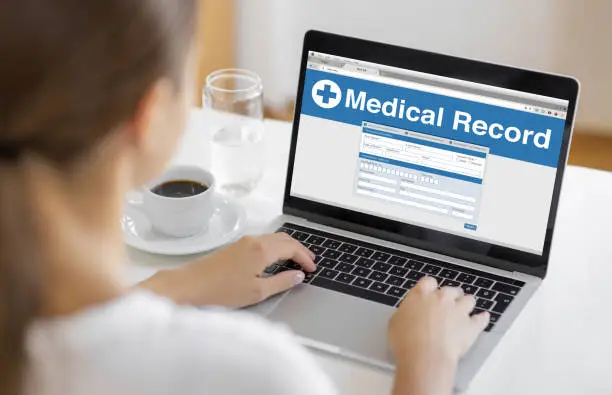
The first step to choosing the right software is to know what daily billing requirements are needed for the practice. A platform must be capable of conducting the necessary tasks and be user-friendly for employees. Other factors to take into account include their budget, security needs, and growth plans.
Customer Support
Having reliable customer support can assist employees in solving technical issues. Research the support options, hours, and anticipated response time. Training materials and demonstrations can also aid in implementation. If there is a possibility to try or demo, ask for one before making your selection. Have employees test some common activities, like checking over a claim, making a payment, and report making. This can assist in deciding if the software will enhance the practice's operation. Online medical billing software, like any other software, may encounter challenges. Web-based billing systems have some advantages, but it's vital for practices to be aware of the potential difficulties as well. Preparing ahead of time will help organisations to minimise disruption and to make the transition more manageable.
Internet Dependence
Most online billing systems will need a strong Internet connection. Staff may not be able to access records when there is a slow connection or service interruption. Where possible, practices are encouraged to discuss backup connectivity.
Staff Training
Staff training may be required to learn a new system. Common billing procedures, claim follow-up, billing reporting, and security procedures should be covered. Be clear when moving to the next step to minimise mistakes.
Data Migration
Careful planning is needed for transferring existing records to a new platform. Incomplete or incorrect transfers can impact billing activities. Practices should clarify with the provider how data should be moved and confirm the accuracy of the records.
Conclusion
Medical billing software online facilitates healthcare organisations' dealing with patient statements, insurance claims, payment records, and financial reports via a web-based platform. It can help create a more organised system, make information more accessible, and generate regular billing processes. Claim tracking, payment posting, reporting, automation, and more can assist staff in handling everyday tasks. But each healthcare organisation is unique. When choosing a system, providers need to look at features, pricing, security, integrations, and customer support. Staff training and correct data transfer are also key factors. In some instances, selecting the correct platform can benefit employees by enabling them to deal with billing activities more effectively.
FAQs
What is online medical billing software?
Online medical billing software is a computer-based application designed for medical practitioners to take care of claims, patient billing, payment history, and billing reports. Typically, it is available via an online application or a browser.
What are the benefits of using online medical billing software?
Software assists with recording services, claim preparation, submitting billing data, payment tracking, and follow-up of rejected claims. The specific process varies according to the platform and the needs of the practice.
What is the security of online medical billing software?
It can offer valuable security features like encryption, access restrictions, and logs of activity. However, there are also security procedures and privacy requirements that must be adhered to by healthcare providers.